เอกสารประกอบการสอน ionic_github_pages_slides
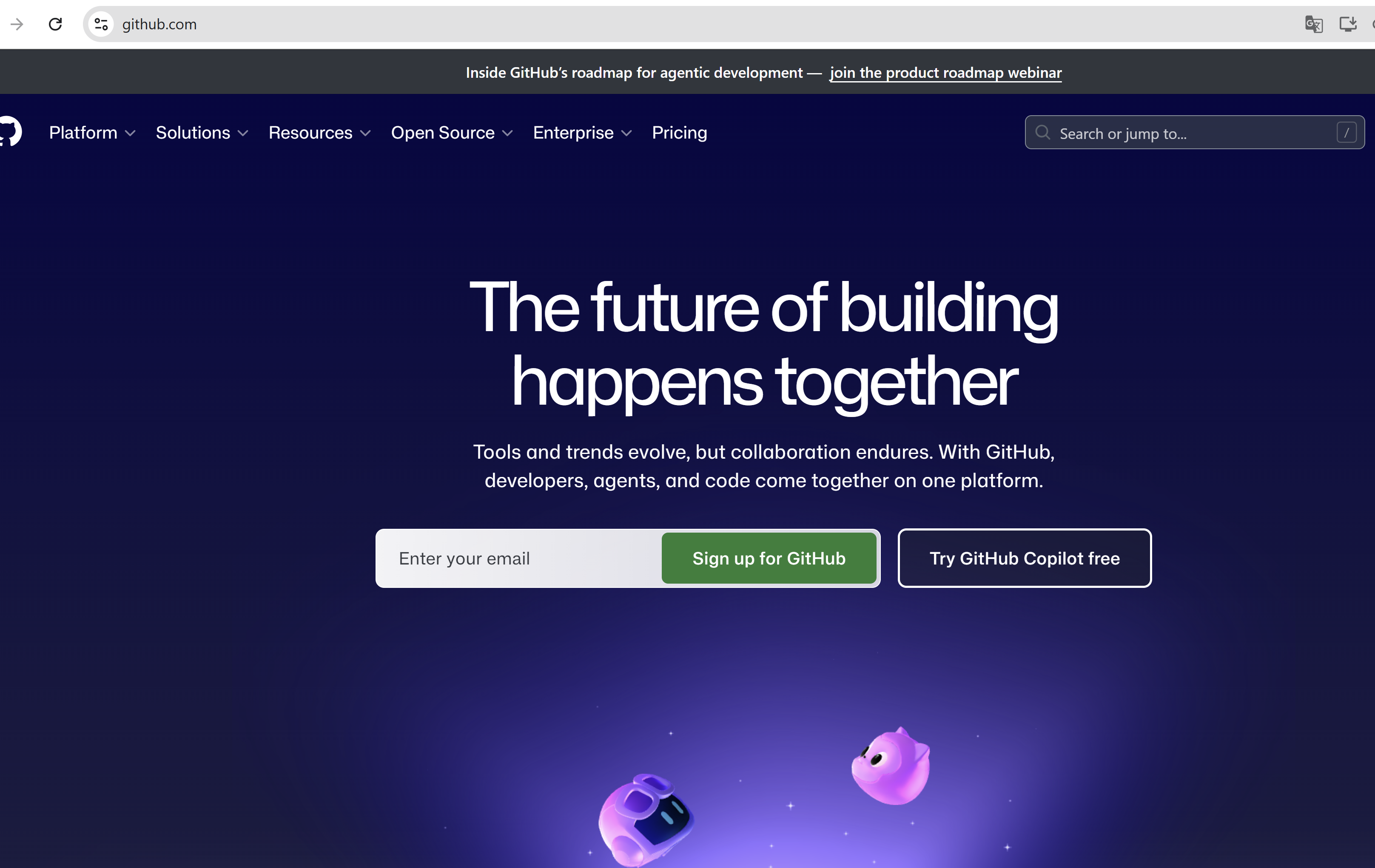
1.เปิด browser เข้าไปเว็บไซต github.com
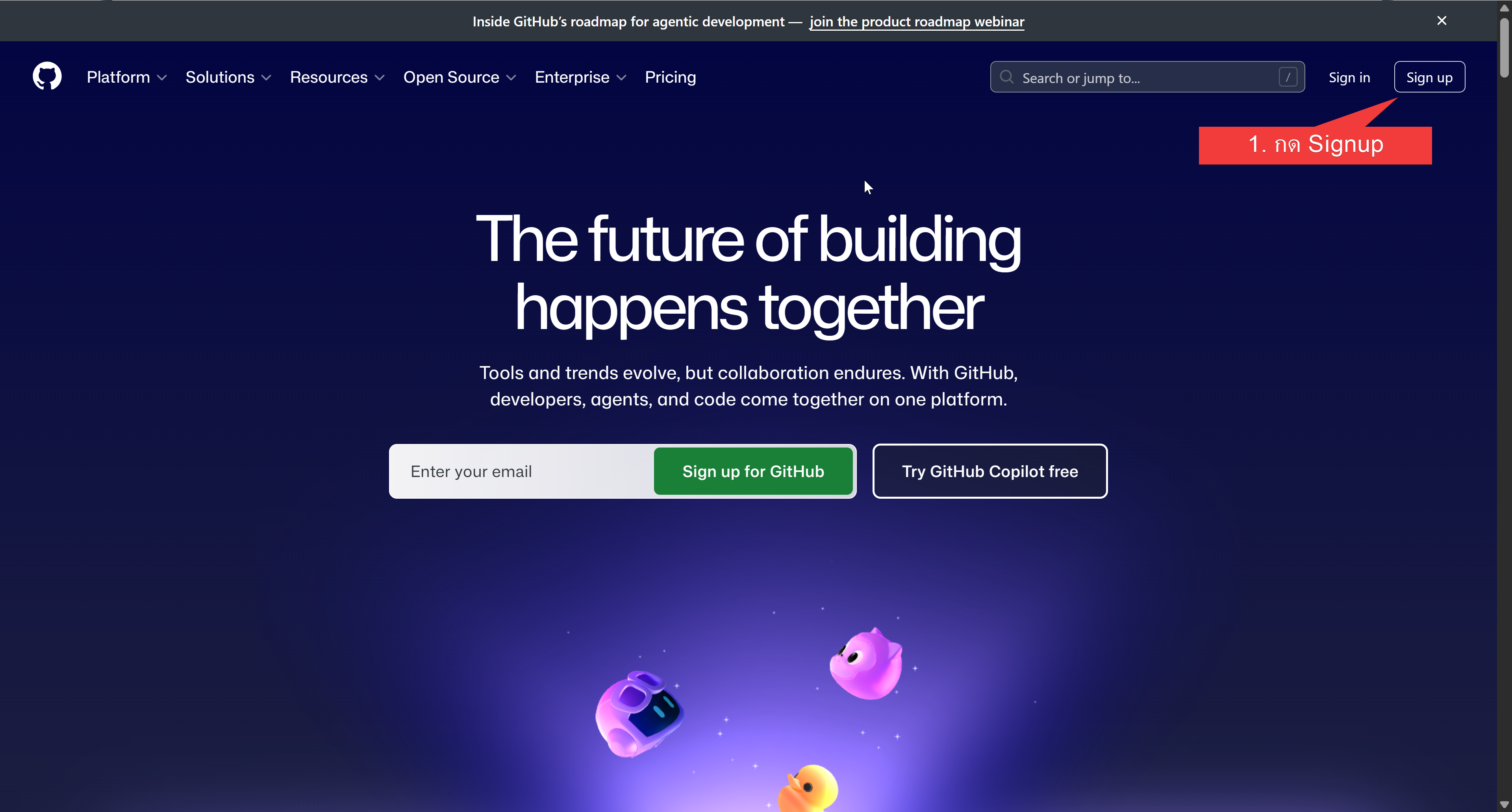
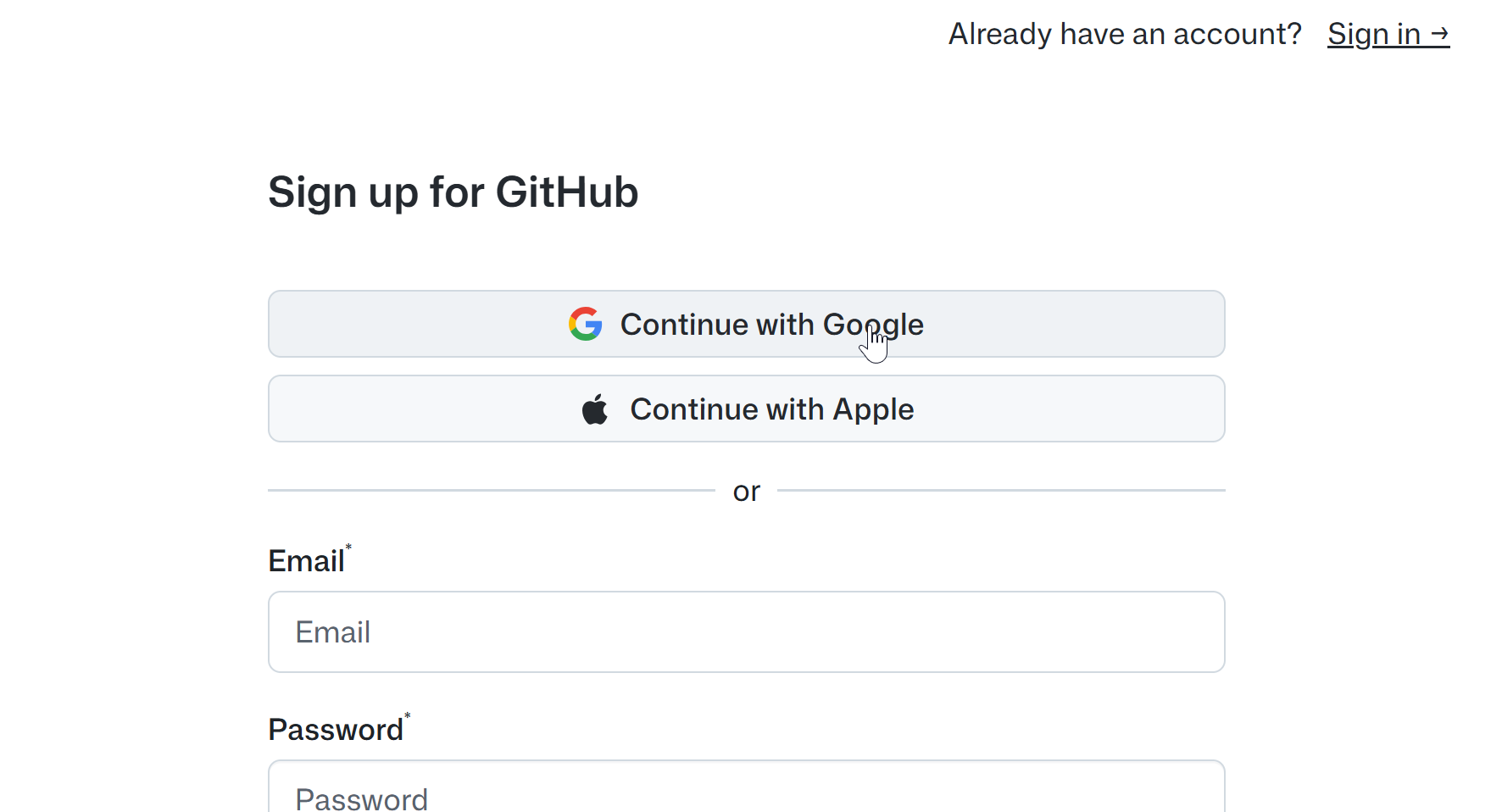
2. เลือกเชื่อม google account
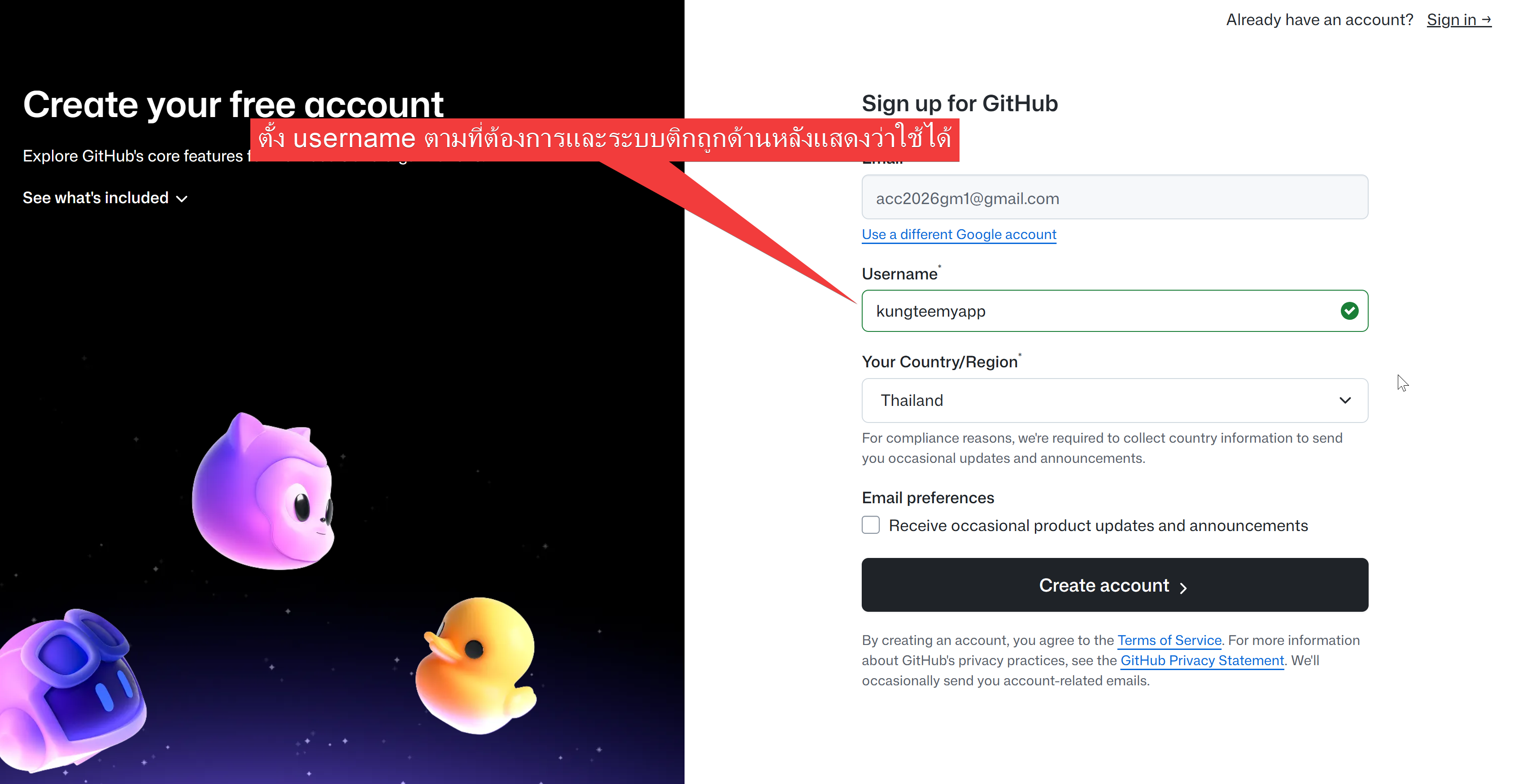
3. ตั้งชื่อ username เลือก country แล้วกด create
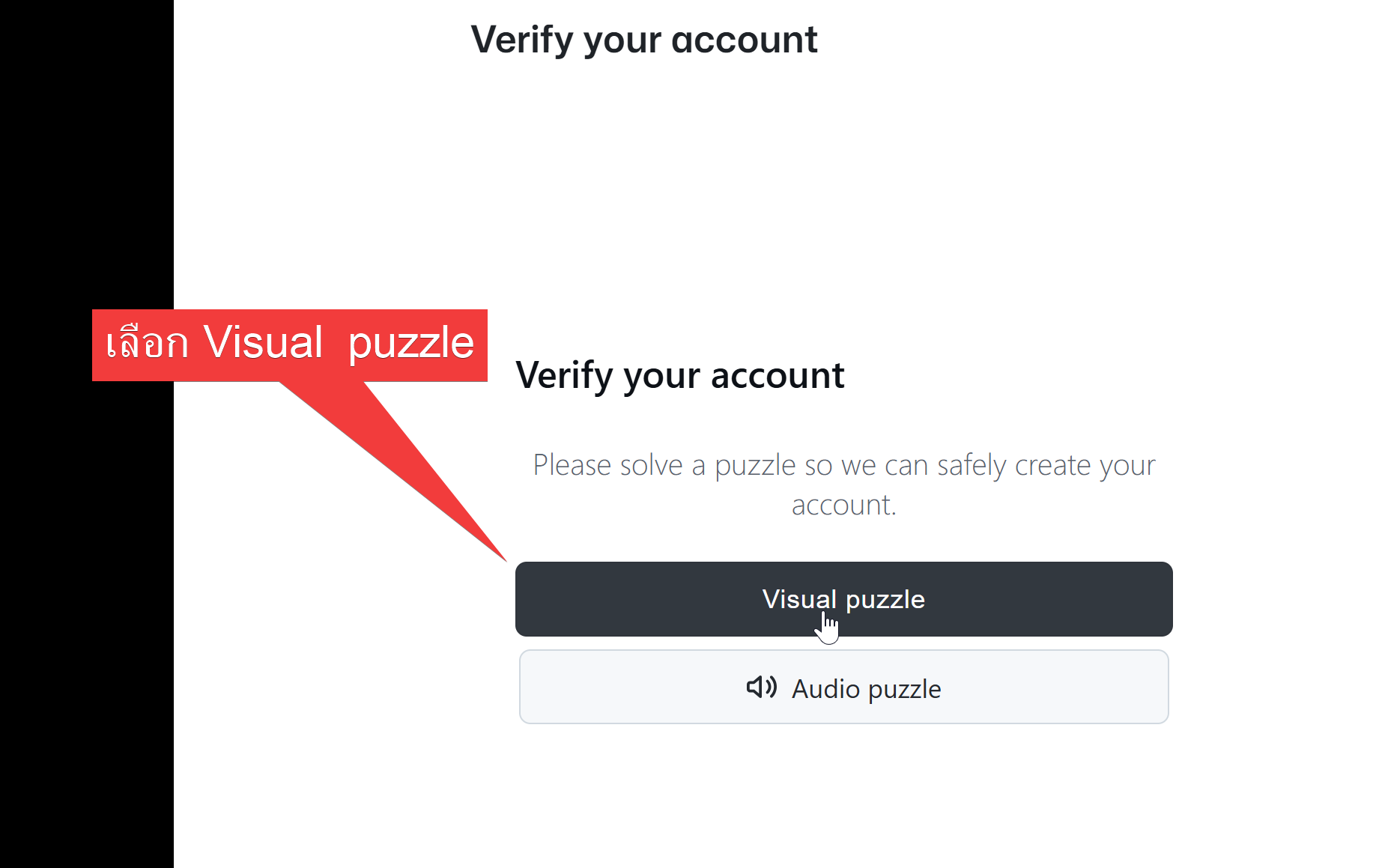
4.ทำการ verify
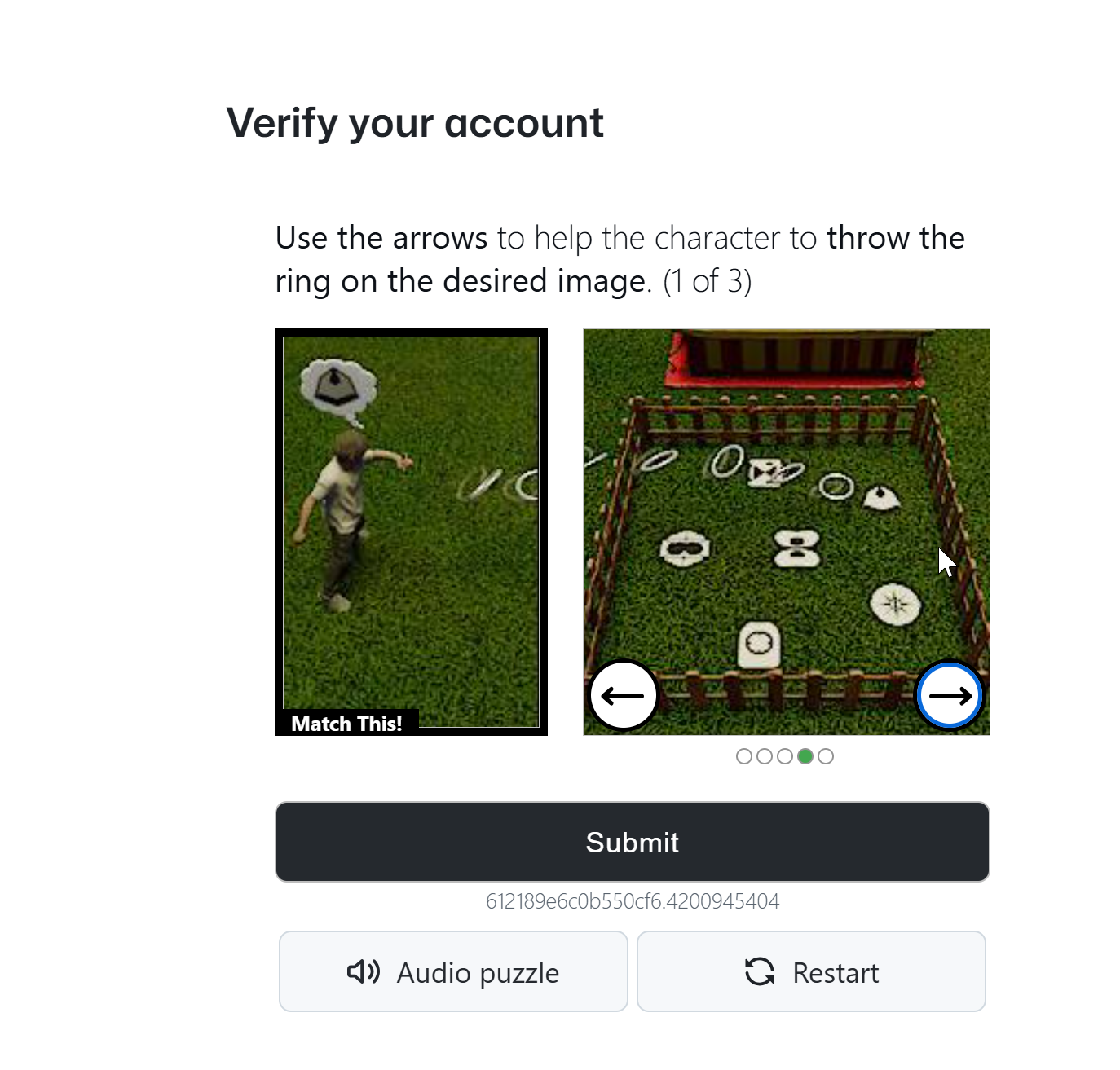
5. verify ผ่านจะเข้าหน้า dashboard ของ github
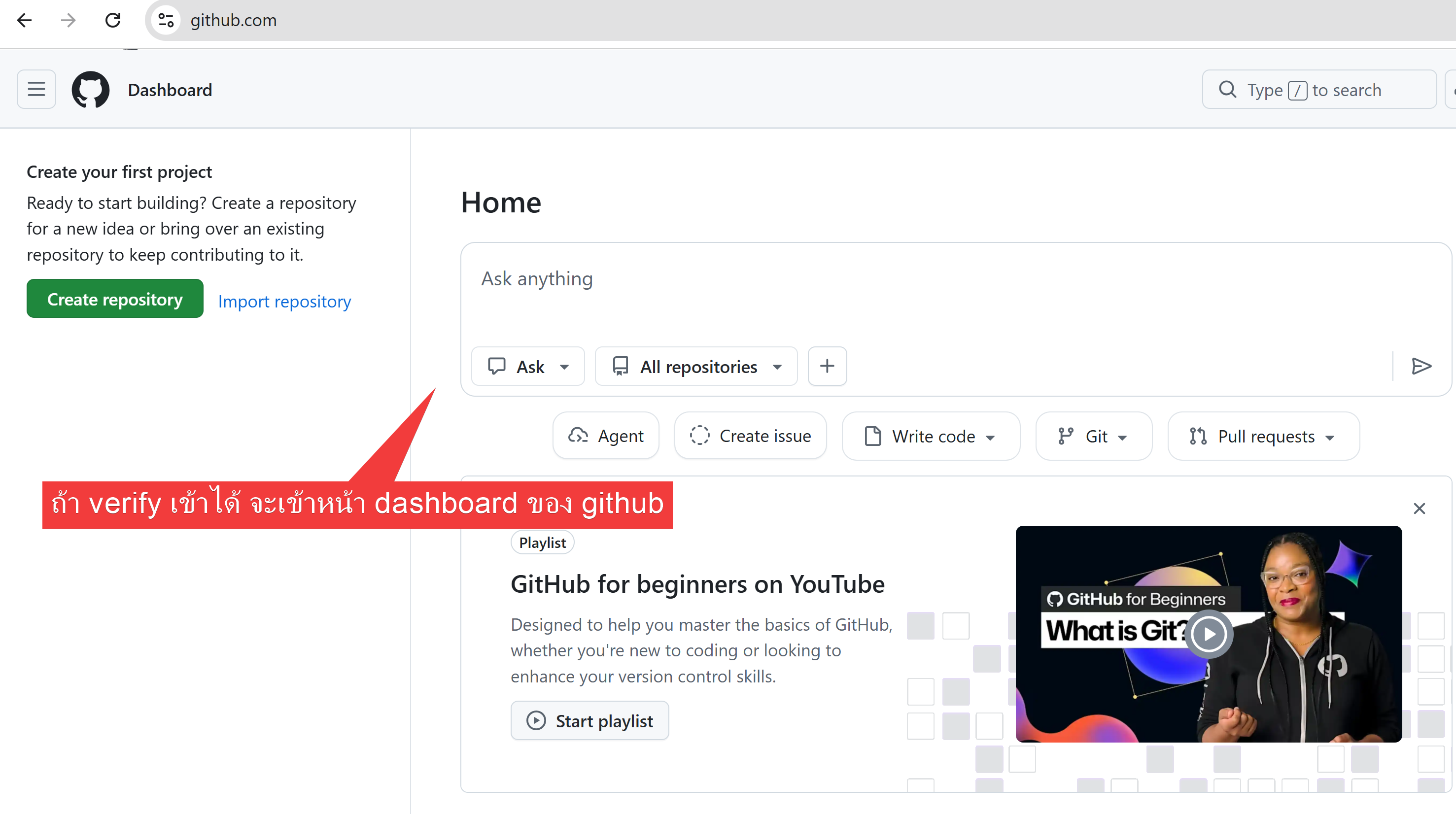
6. สร้าง respository แรกเพื่อเก็บโปรเจคเรา
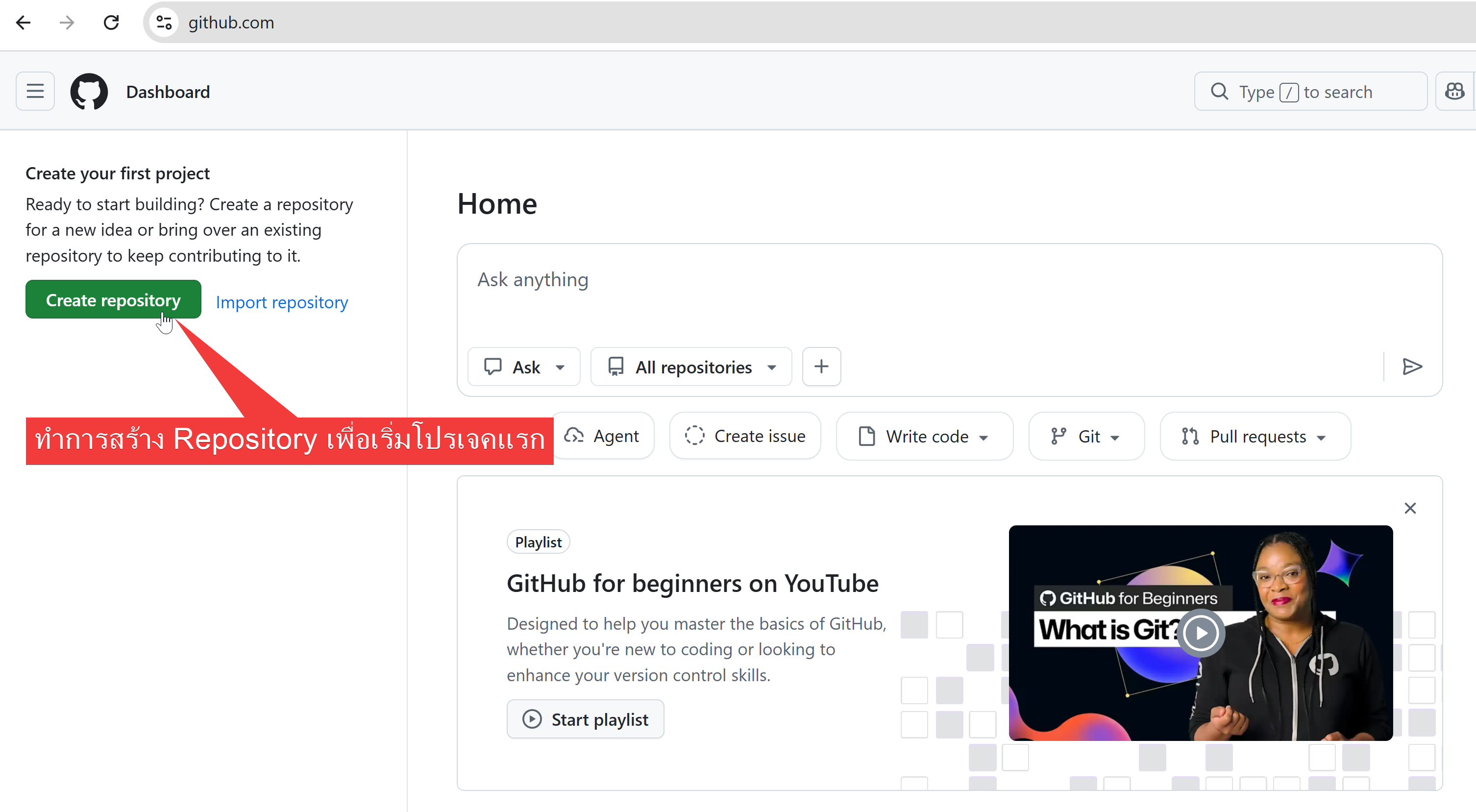
7. repository name ตั้ง myweb และกด create
8. เราจะได้หน้าคลังเก็บข้อมูลหรือ repository สามารถ upload file web / งาน ขึ้นไปได้
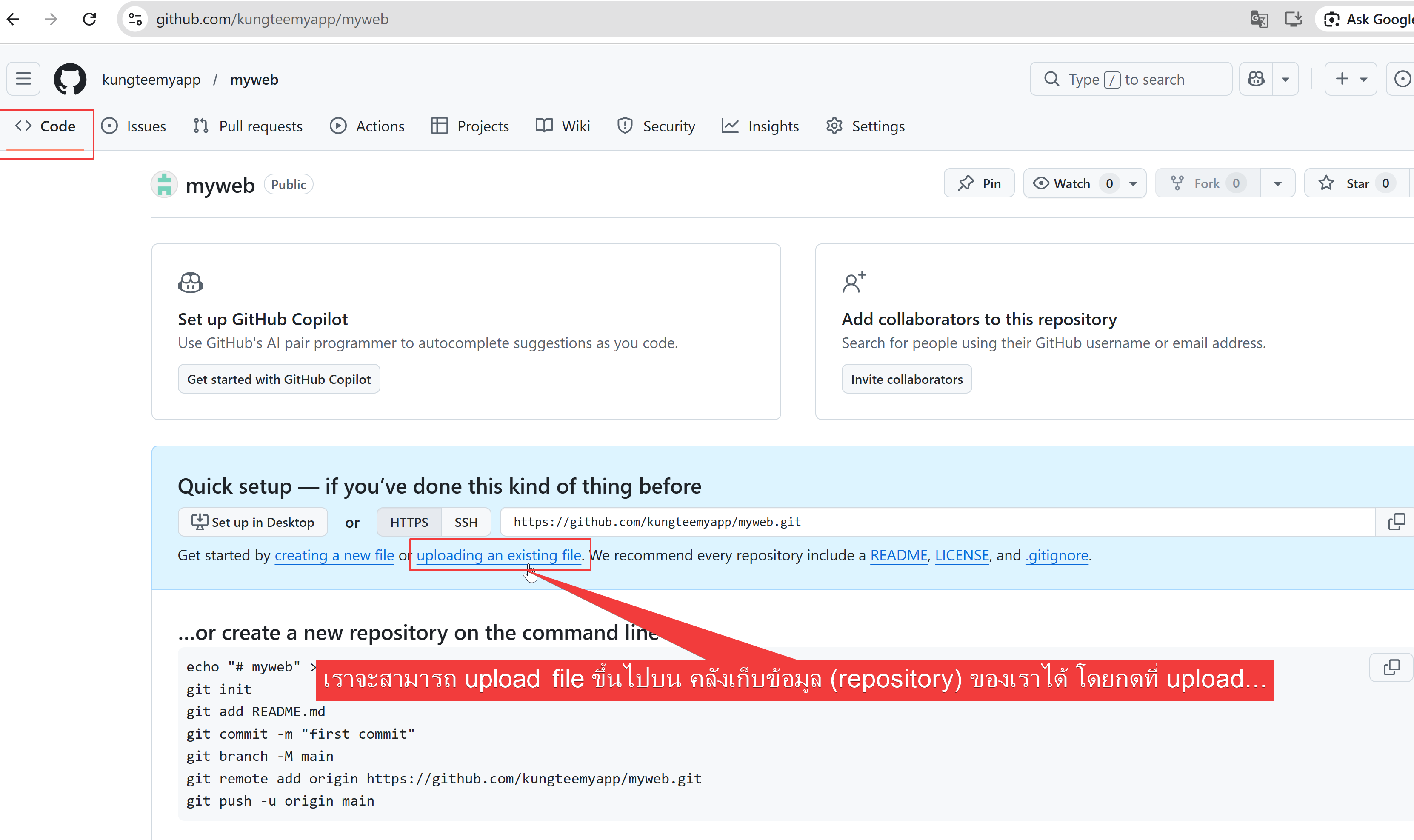
9.สร้างไฟล์ index.html เพื่ออัพโหลดขึ้นไปไว้บนคลังข้อมูลของเรา (repository)
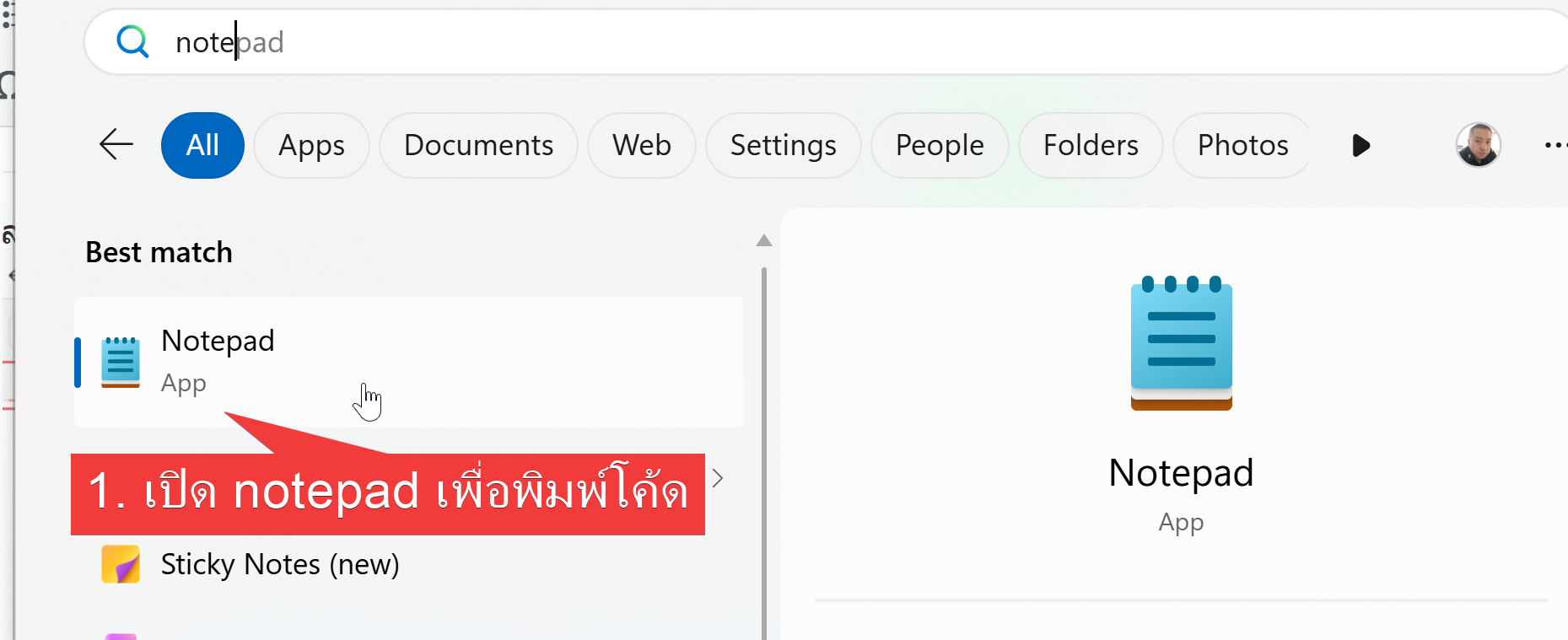
ให้พิมพ์โค้ด html ลงไปดังภาพด้านล่าง
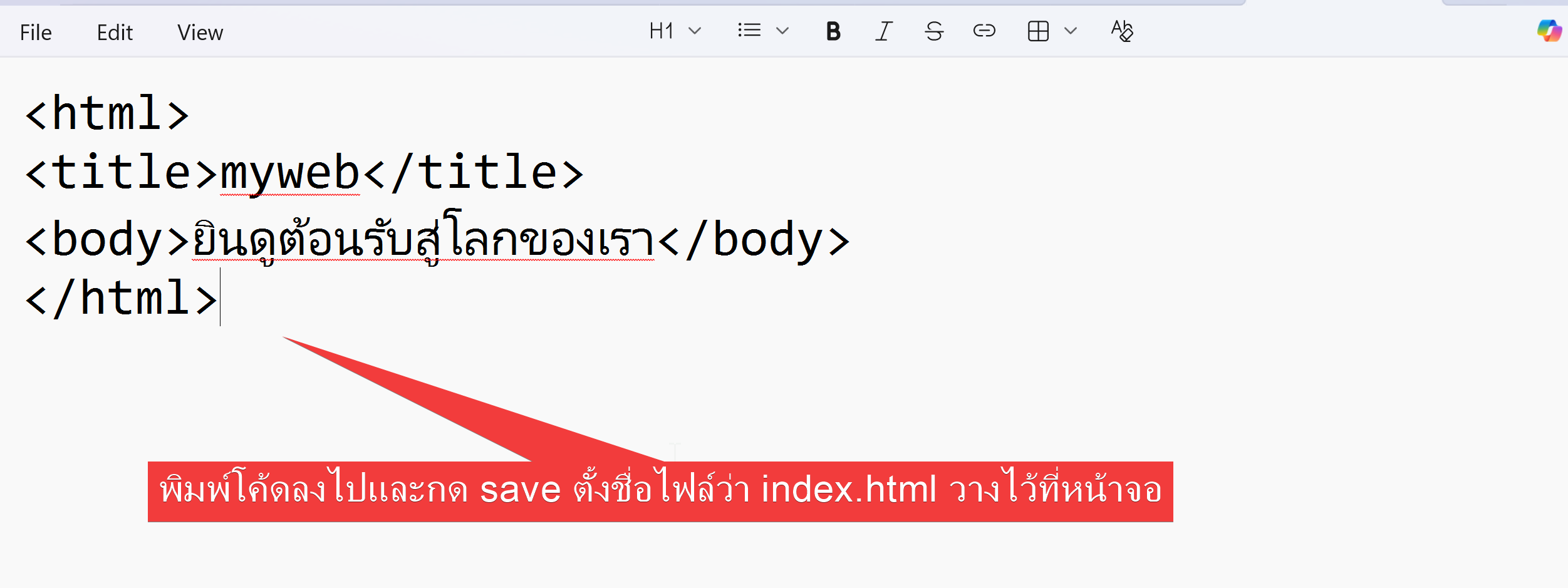
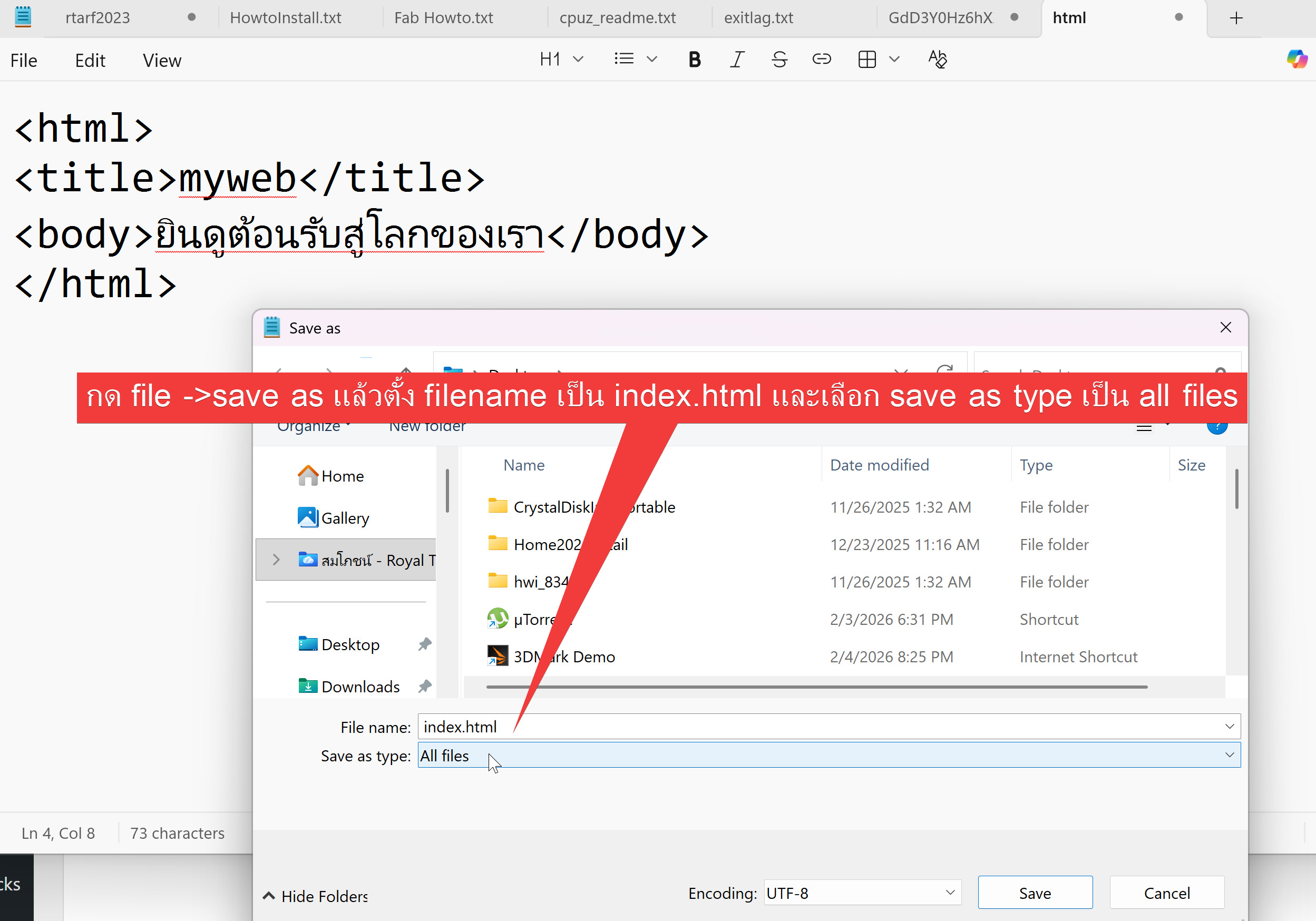
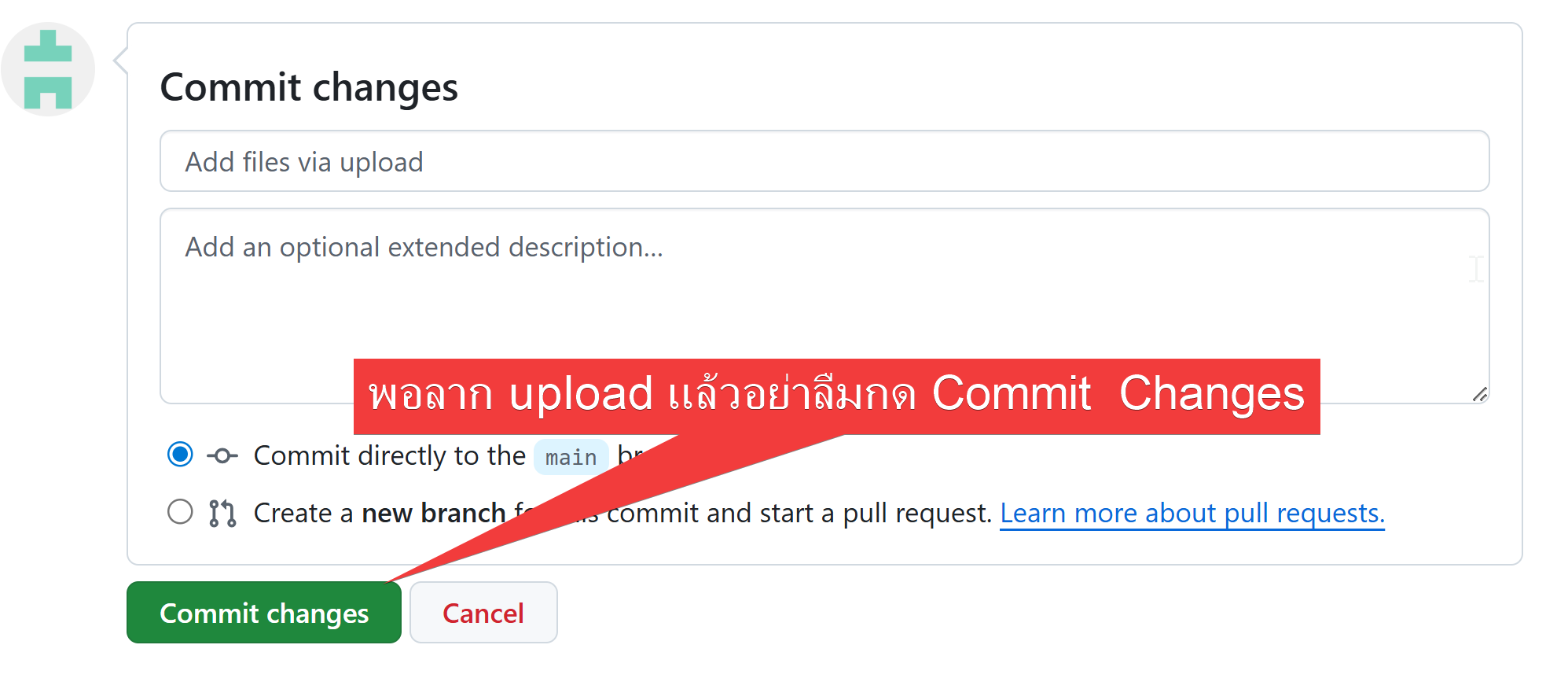
10. อัพโหลดไฟล์ index.html ที่สร้างขึ้น github.com
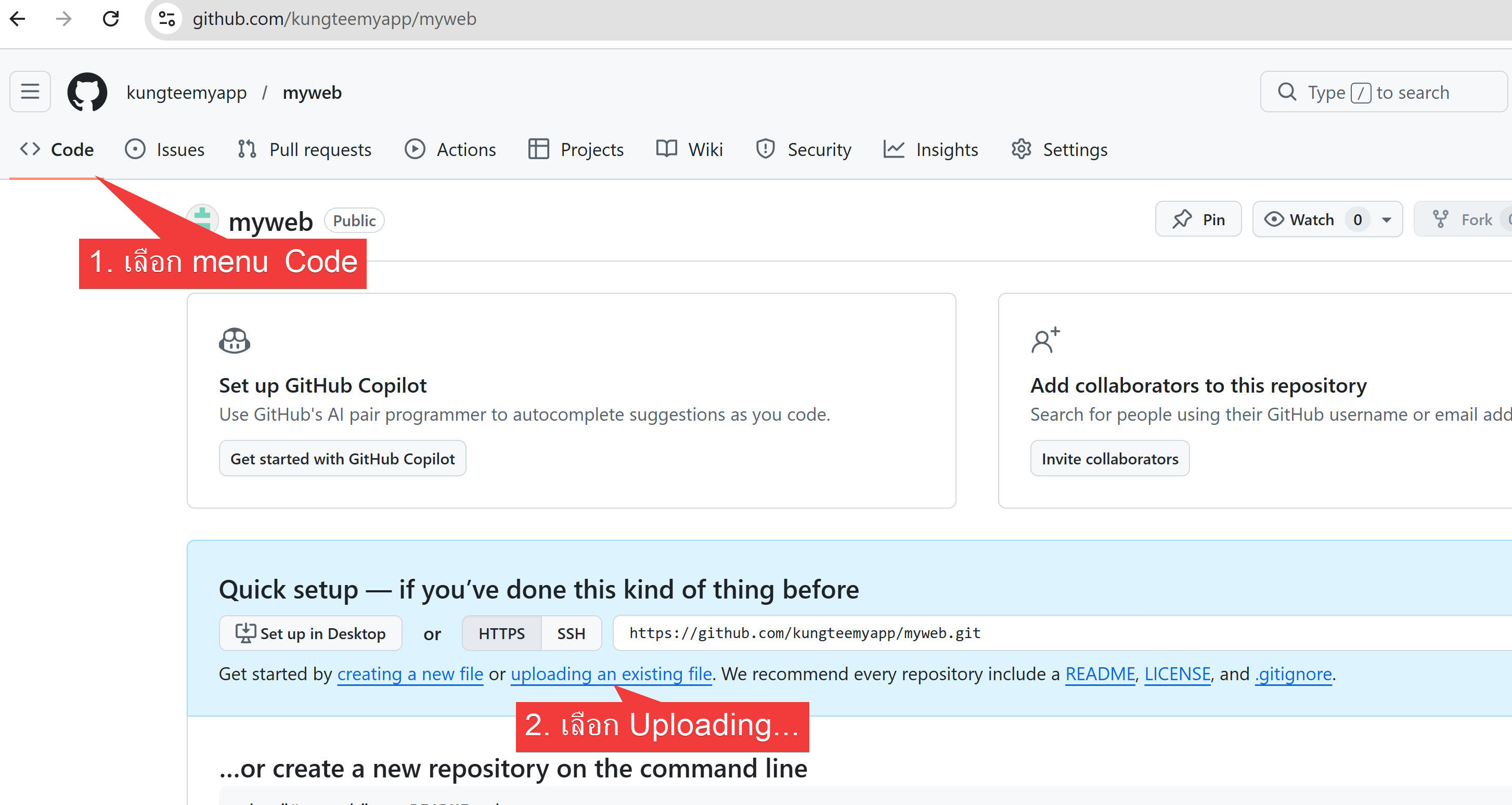
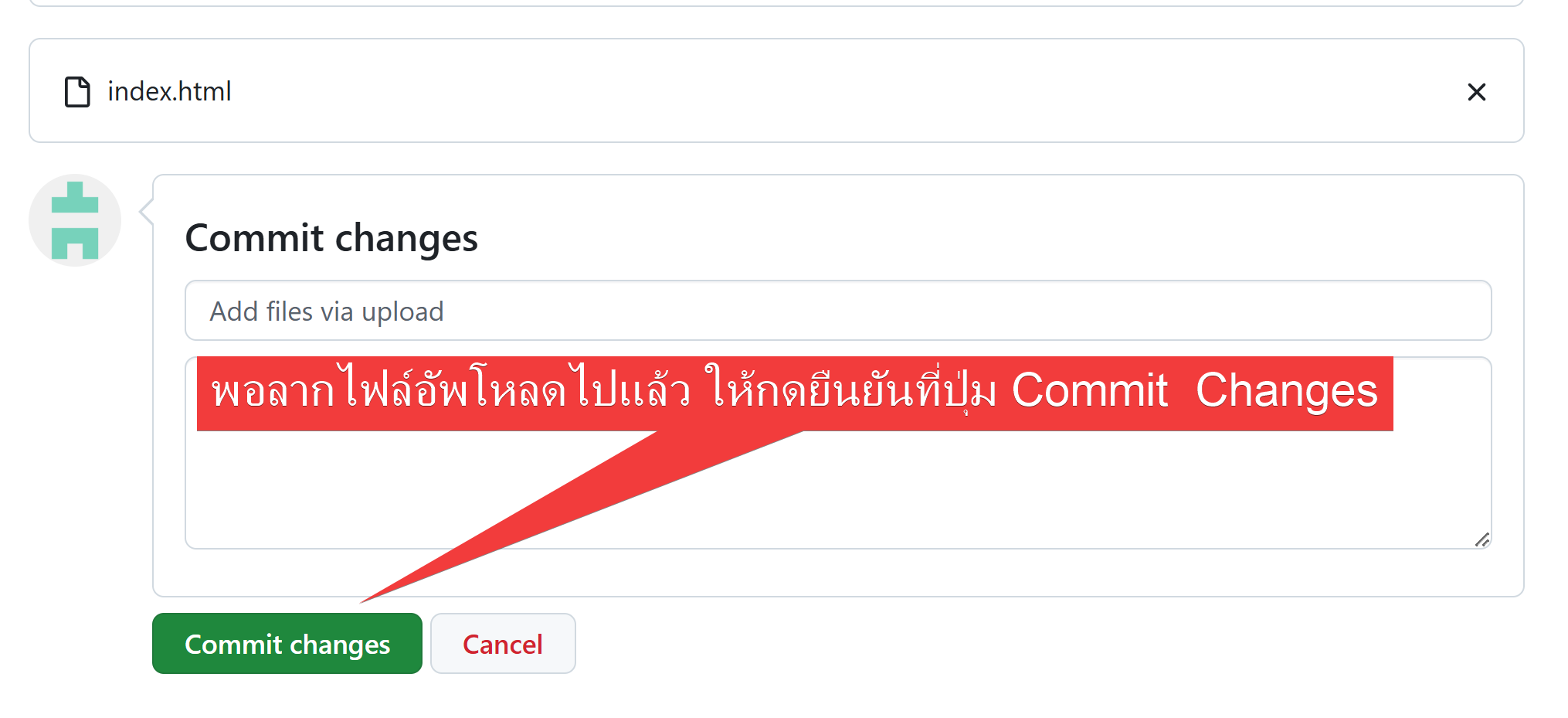
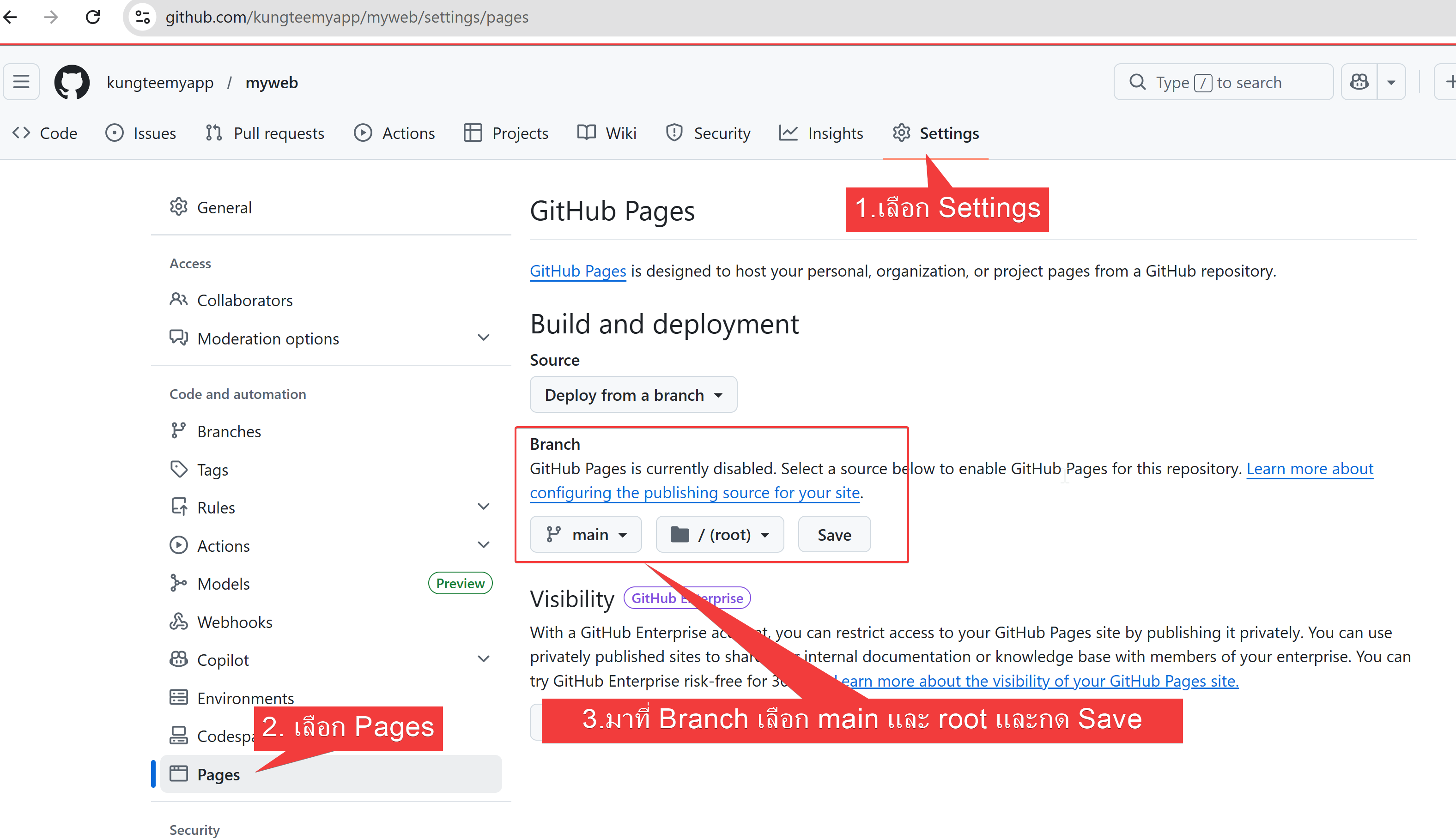
11. เปิดใช้งาน github page
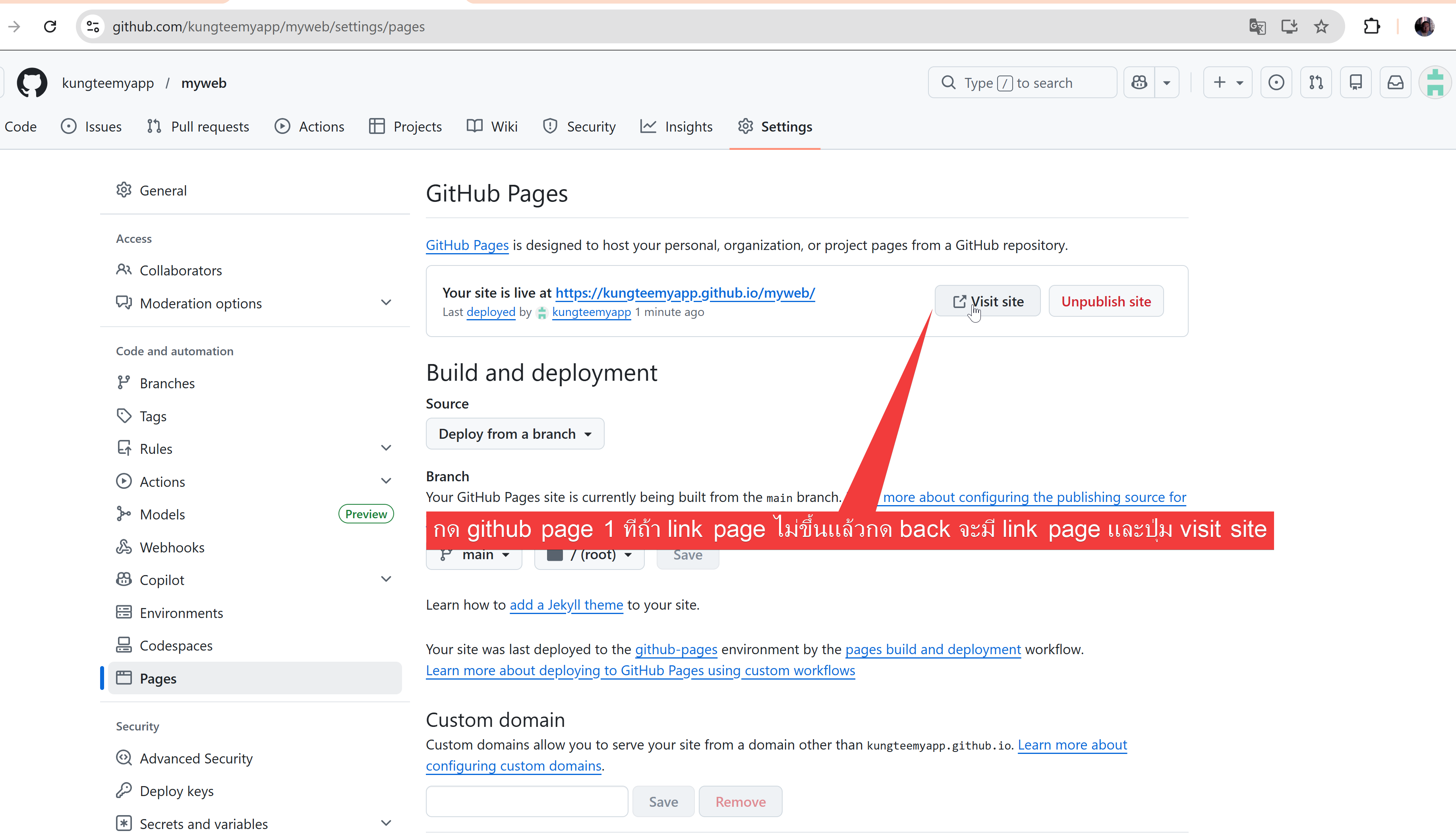
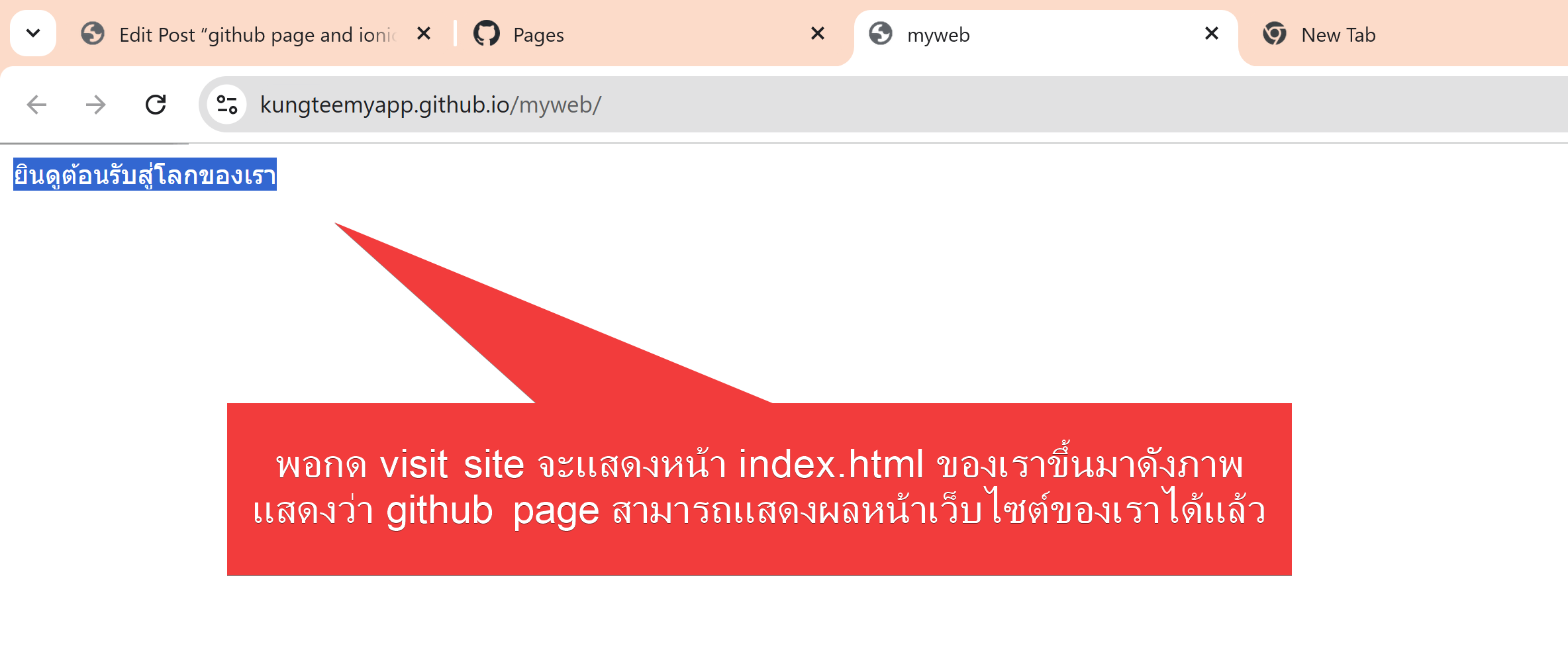
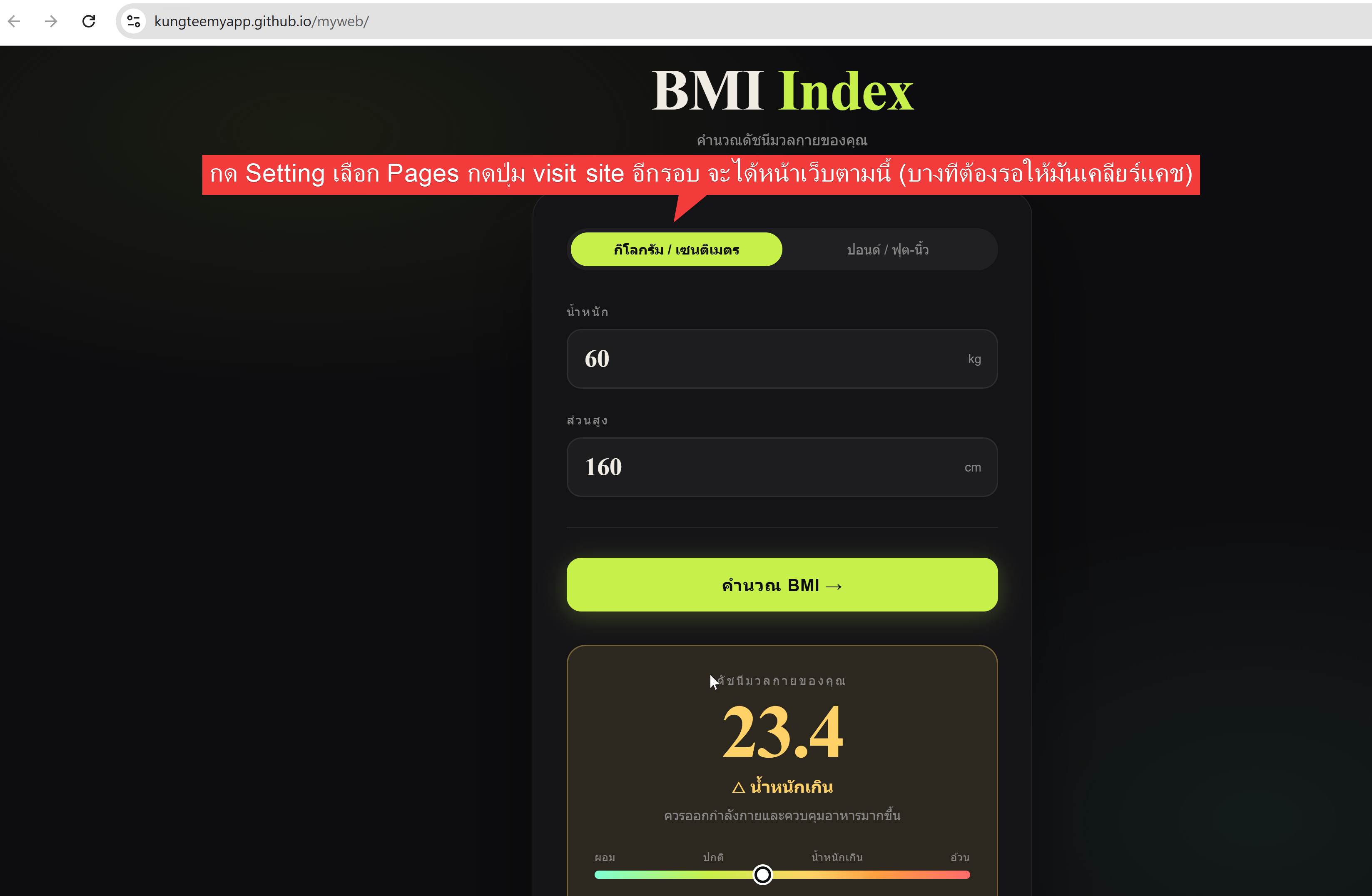
12. เยียมชมเว็บไซต์ของเรา
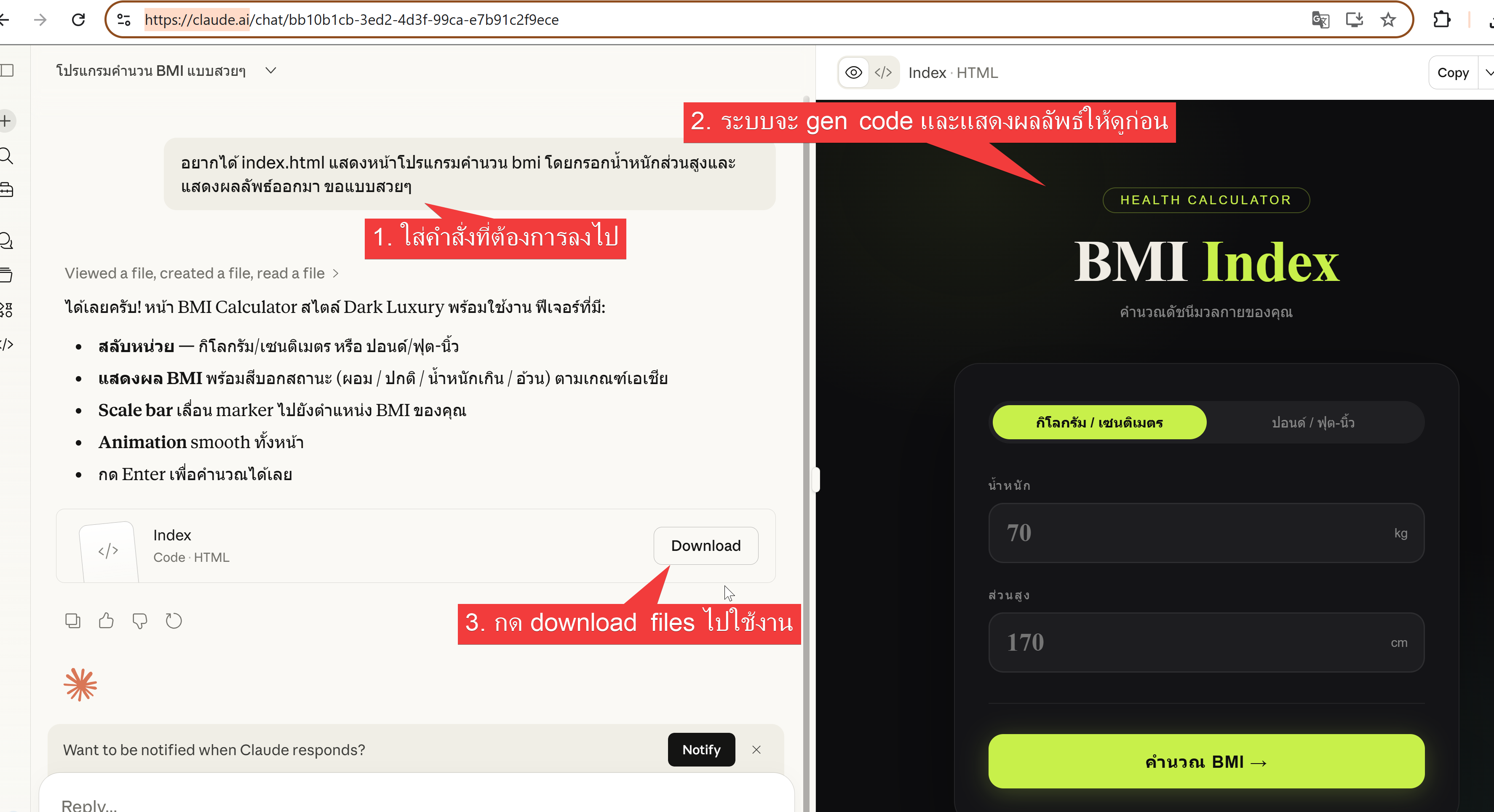
13. ใช้ https://claude.ai/ และพิมพ์ promt เพื่อสร้างโปรแกรมคำนวน bmi
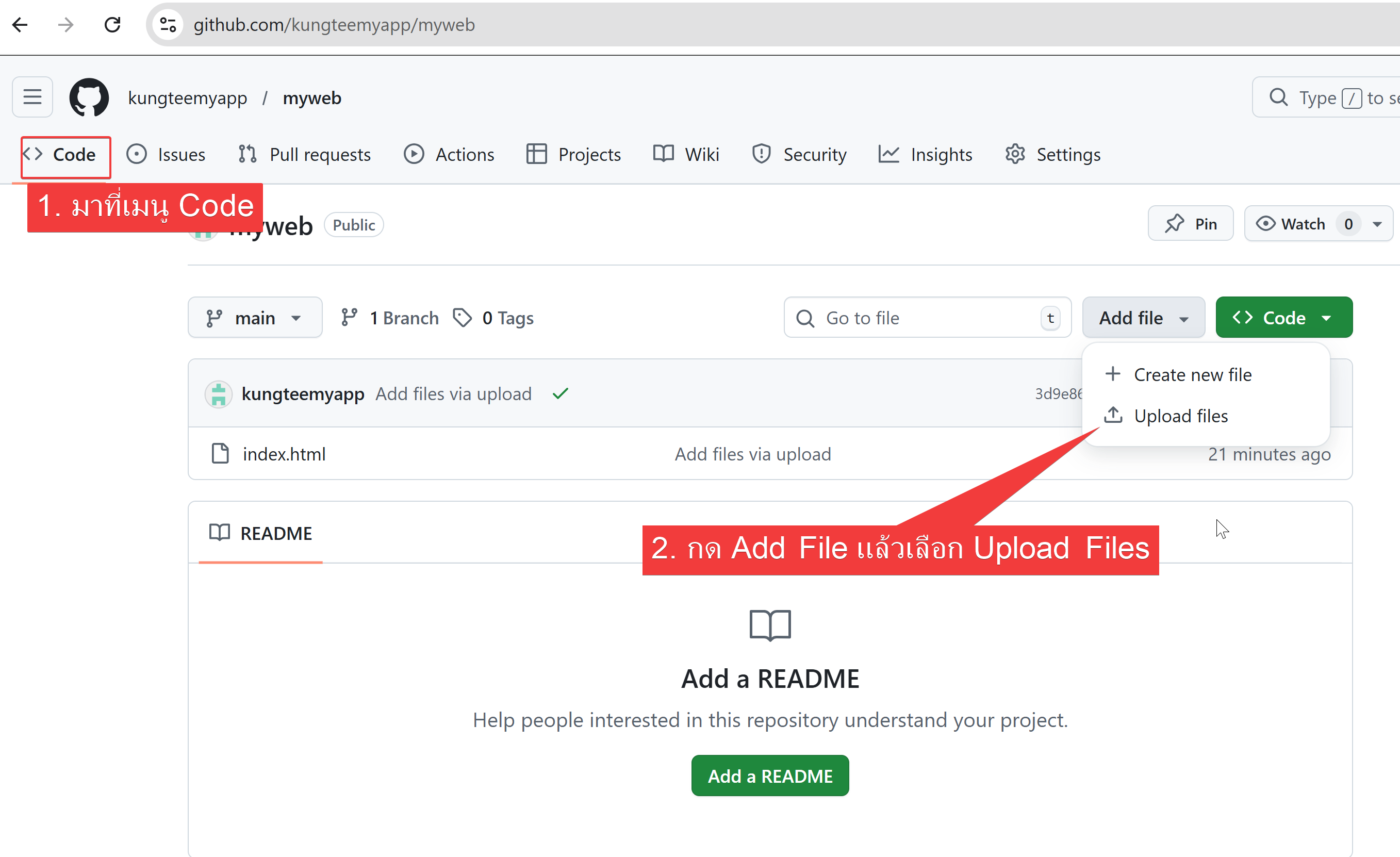
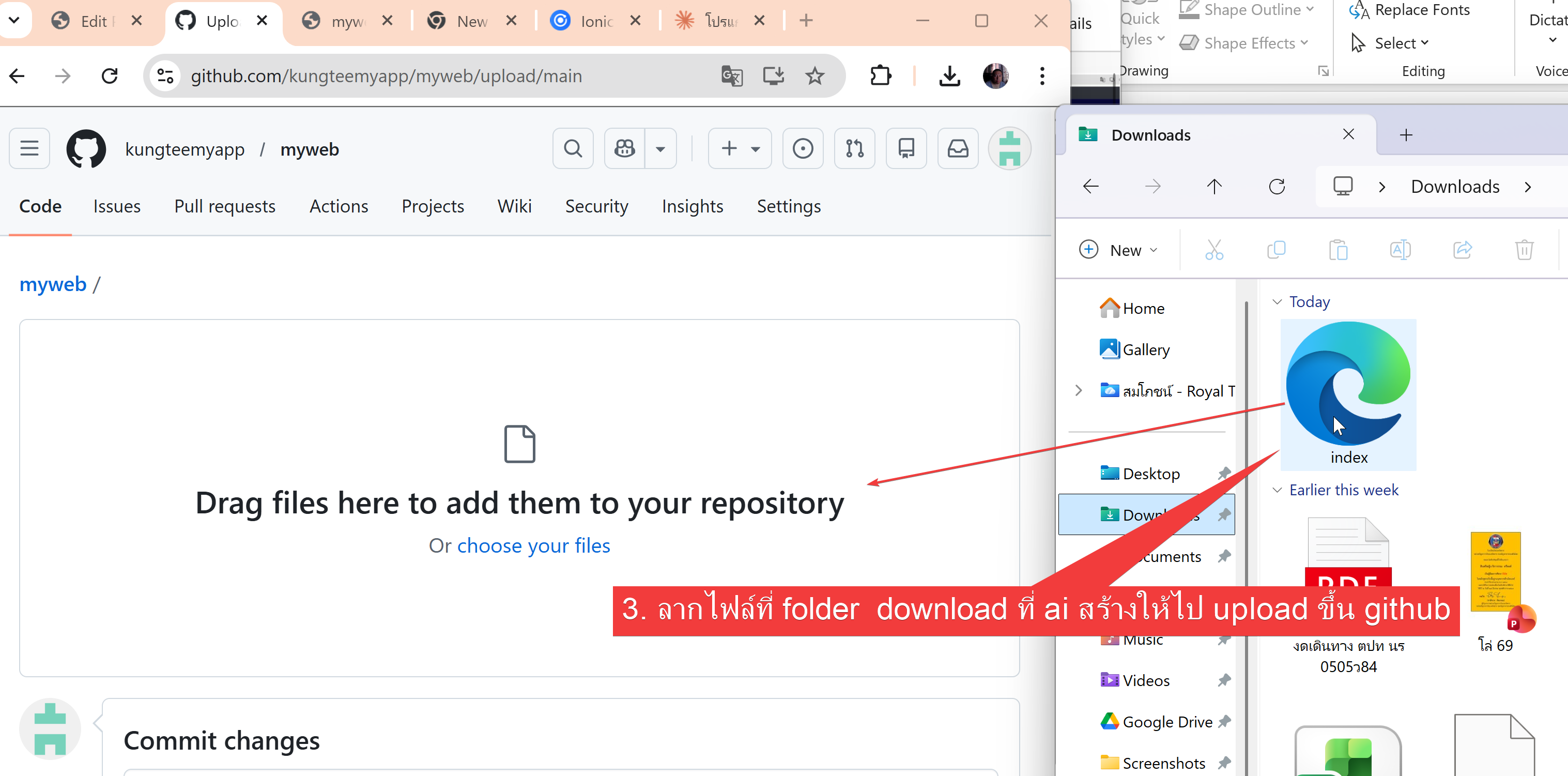
14. กลับไปที่ github ตรงเมนู Code ทำการอัพโหลดไฟล์ index ที่คำนวน bmi ไปวาง
เริ่มใช้งาน ionic framework ไปที่ link นี้ https://kungtee.com/2026/03/%e0%b8%81%e0%b8%b2%e0%b8%a3%e0%b9%83%e0%b8%8a%e0%b9%89%e0%b8%87%e0%b8%b2%e0%b8%99-ionic-framework-%e0%b8%aa%e0%b8%b3%e0%b8%ab%e0%b8%a3%e0%b8%b1%e0%b8%9a-github-page/